Core system · $497 · single-organisation licence
Expense Claims & Corporate Card Audit System

Small claims add up when nobody tests them.

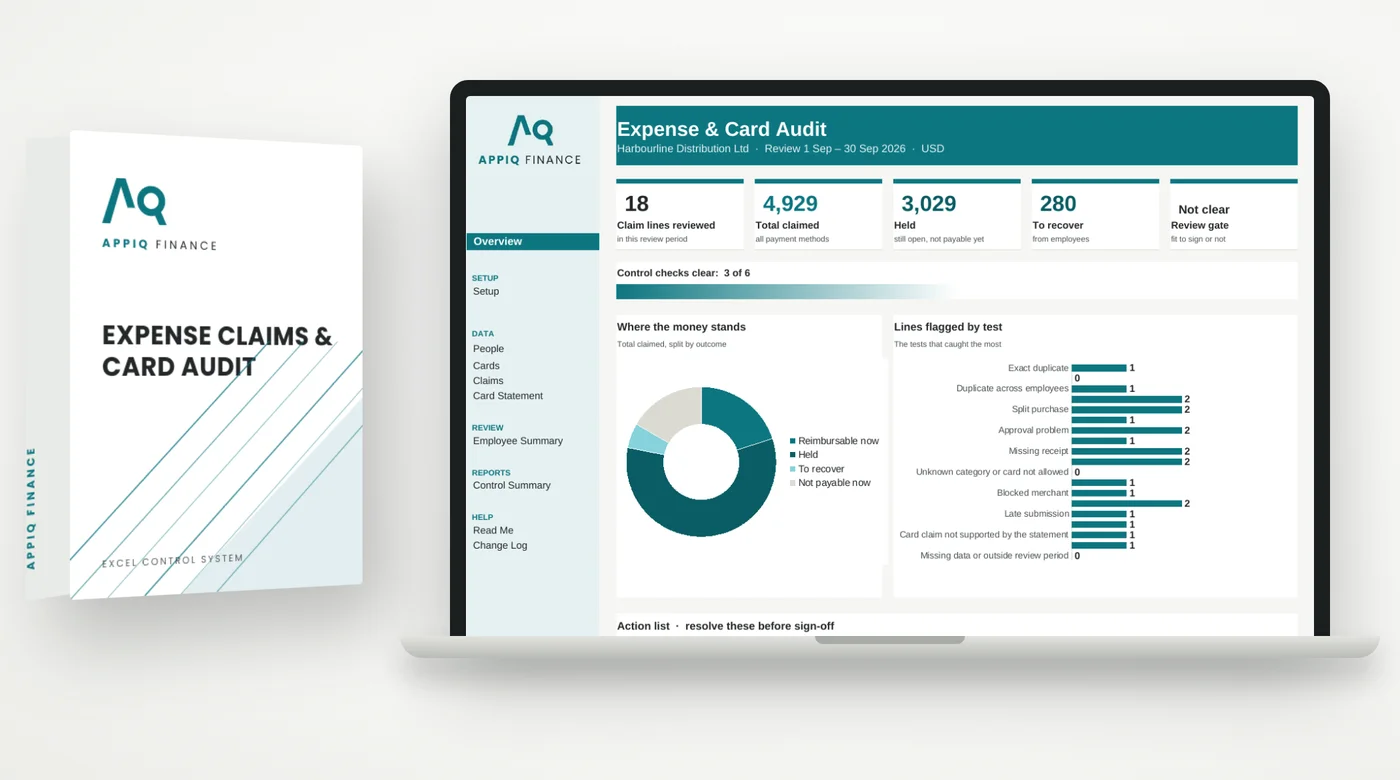
Expense Claims & Corporate Card Audit System: product box and Overview dashboard

A duplicate receipt here, a split purchase there, a card charge with no receipt. Each one looks too small to chase. Together they are real money, and approvers rarely have time to test every line.

$497
One-time payment · single-organisation licence
  • Download links emailed within minutes
  • Blank master + worked example included
  • Expense Audit Playbook (PDF) included
  • Excel (.xlsx) — no macros, no add-ins
  • Faulty file? Fixed or refunded — terms
Inside the system

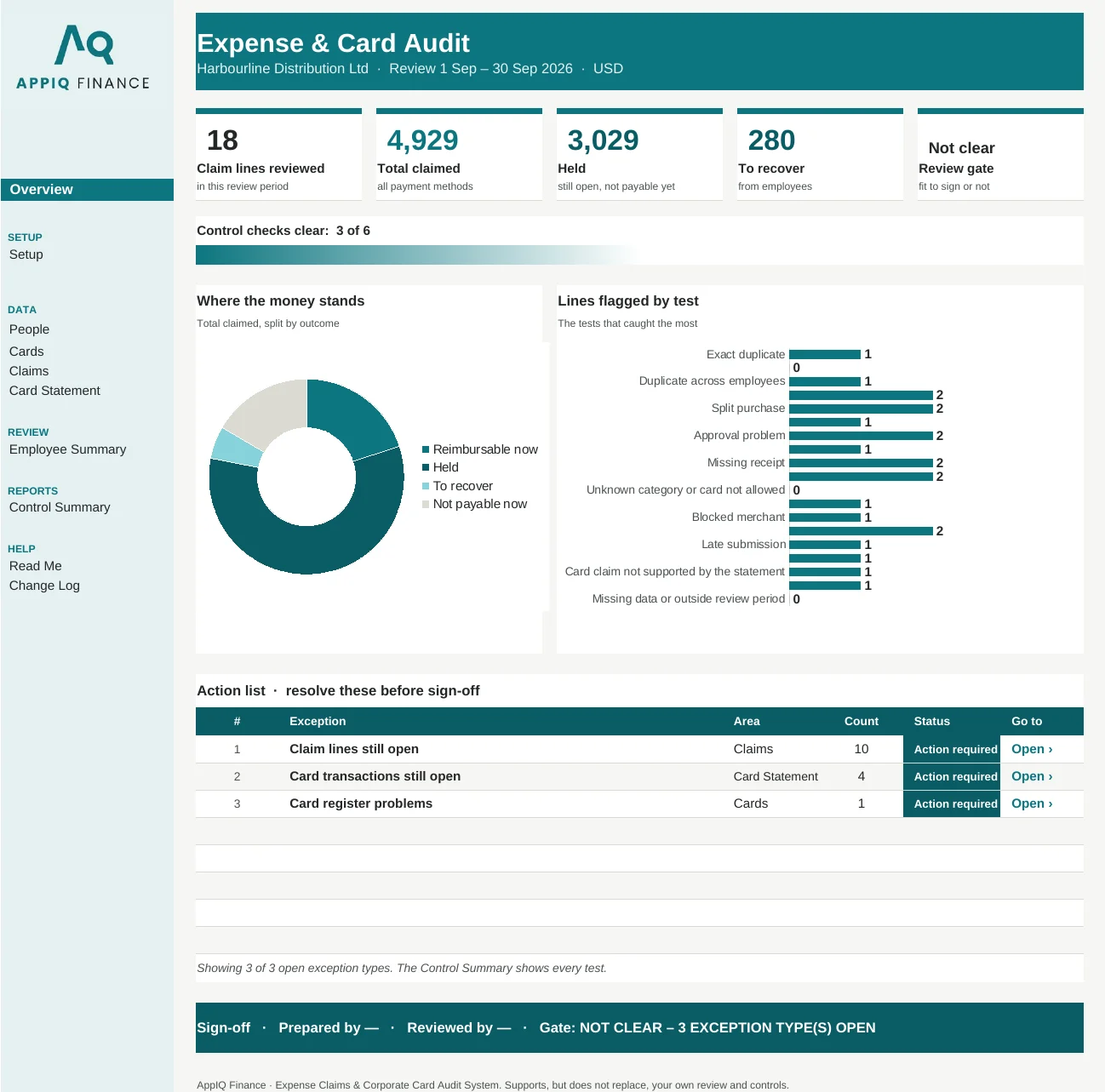
Opens on a live dashboard

Headline figures, charts and an action list of what to fix first, then the tabs where the work happens. Shown here with the worked example that comes with your download.

Expense Claims & Corporate Card Audit System Overview dashboard

Real screenshot of the Overview tab. Every figure is calculated by the workbook.

The fix

How it solves it

This system audits every expense claim line and every corporate card transaction in the review period. Duplicates are tested four ways, card transactions are matched automatically to card claims by cardholder, amount and date, and nothing can be signed off while an exception is open.

10Tabs
500Claim lines
500Card transactions
v1.3Build version

Replaces spot-checking a sample of claims, ticking the card statement by hand and approvals nobody tests.

What it tests

Controls this system runs

  • Four duplicate tests — exact, near-date (same employee, merchant and amount within the window), across employees, and a receipt reference used twice.
  • Split purchases and approval problems — split purchases, self-approval and approval limit problems are flagged on the claim line.
  • Policy checks — missing receipts, late submissions, category limits, blocked merchant words you set, and claims by leavers after their leave date.
  • Card claims matched to the card statement — one card transaction can support only one card claim, and unmatched card transactions are flagged after the days you allow.
  • Exceptions that can't be ticked away — exact duplicates, the same receipt claimed twice, duplicates across employees, self-approval and leaver claims can never be cleared as valid.
  • Review gate and employee summary — the gate shows clear only when every exception line is nil, the reviewer can't have claims in the review, and employees are ranked by risk points.
Built for

Who this is for

Built for finance teams, payroll and controllers who approve expense claims and corporate card statements. Also included in The Controller's Vault and the Firm Licence.

Questions

Before you buy

How much does the workbook hold?

100 people, 100 cards, 500 claim lines and 500 card transactions per review. Use one workbook per review period.

Do I need Excel, or will it work in Google Sheets?

Every system is built as a standard Excel (.xlsx) workbook using formulas only — no macros, no add-ins, nothing to install. Because there are no macros, the files also open in Google Sheets and LibreOffice.

What happens straight after I pay?

Checkout is processed by Paddle. Within a few minutes of payment clearing, your download links are emailed automatically from info@appiqfinance.com. You get the blank master workbook and a fully worked example.

What if it doesn't do what this page says?

Report it within 14 days with the file, tab and cell, and we fix it and redeliver — or refund you in full if we can't. See the refund policy for the exact terms.

Also in the catalogue

Other control systems

Accounts Payable Control

The first place a duplicate payment gets caught is the bank statement.

View system →

Invoice & Payment Fraud Defence Kit

The fraudulent email will look exactly like your real supplier.

View system →

Month-End Close & Controls

Close finishes when the file gets sent, not when the numbers are proven right.

View system →

See all systems & The Controller's Vault